Penguin is a coding-agent runtime for long-running engineering tasks. It keeps task state, context, checkpoints, tool history, and verification evidence connected across sessions and agents.
Then run penguin. First launch creates a workspace and walks through optional model setup.
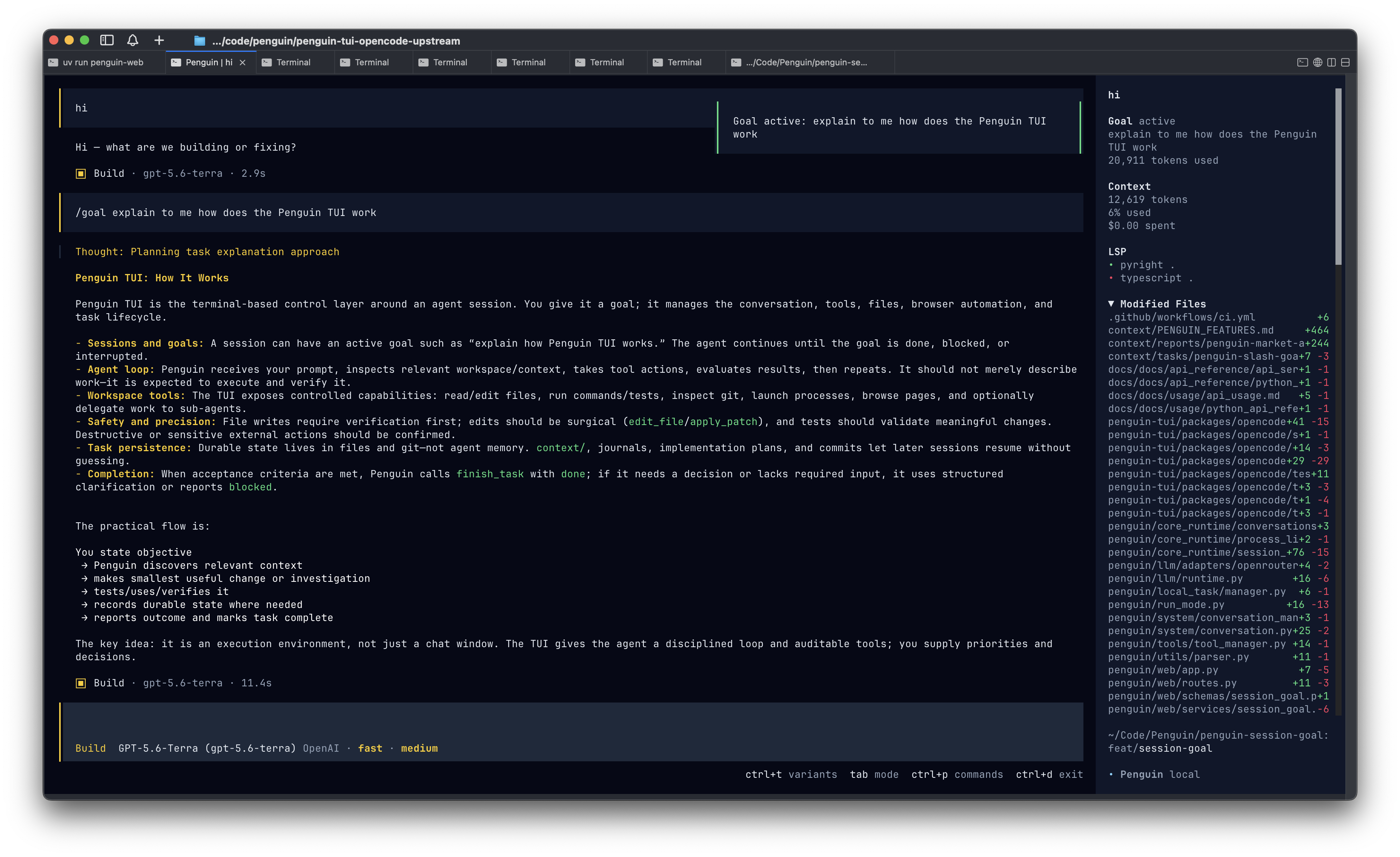
penguin / active sessionlocal
Goal, context budget, modified files, and execution state remain visible in one session.
Sessions survive restartsCheckpoints branch and roll backTask state stays explicitTUI · CLI · REST/SSE · Python
What Penguin preserves
Software work is a state machine, not a chat transcript.
The objective, context, actions, clarifications, checkpoints, and evidence should remain inspectable after the model stops talking. Penguin makes that runtime state the product.
01Durable state
Resume the state of the work, not just the chat.
Sessions persist with checkpoints, rollback, branching, tool history, and file-backed context. Penguin can return to the same engineering state instead of reconstructing it from prose.
A diff exists is not the same as the task is done.
Run Mode preserves task phases, clarification requests, non-terminal outcomes, and review state so public surfaces do not flatten uncertainty into fake success.
Delegate a bounded job without losing the parent objective.
Subagents can use isolated or shared context, scoped tool defaults, pause and resume controls, and explicit result reporting through Penguin's message layer.
Penguin's reliability bar is explicit: implementation, tests, realistic usage, artifacts, and lifecycle state should agree before the work is handed back.
Changed files, relevant code paths, and task linkage
Tests
Targeted checks first, broader suites when the risk calls for them
Usage
Shell, API, browser, or recipe-based exercise of the real behavior
Artifacts
Logs, responses, screenshots, and generated files when they matter
Lifecycle
Task phase, clarification state, dependencies, and review truth
The runtime loop
A loop that can explain why it stopped.
The Engine reasons and uses tools; Run Mode owns the task lifecycle; the conversation and event layers preserve what every surface needs to resume, supervise, and review the run.
Persist the goal and the task state before the loop runs.
02
Context
Load project instructions and budget system, reference, dialog, and tool-output context separately.
03
Execution
Read and edit files, run commands and tests, use the browser, or delegate bounded work.
04
Evidence
Keep commands, test results, artifacts, failures, and acceptance checks attached to the task.
05
Outcome
Finish truthfully: complete, waiting for input, blocked, paused, or ready for review.
One runtime, four ways in
The interface changes. The execution state does not.
Work interactively, automate from a script, connect over HTTP and streaming events, or embed Penguin in Python. Each surface sits over the same runtime services and durable state.
penguin
Terminal UI
The full interactive coding workflow: streaming, tools, goals, and session navigation.
penguin-cli
Headless CLI
Scriptable prompts, tasks, configuration, and automation for repeatable workflows.
penguin-web
Web runtime
REST, WebSocket, and SSE access for the TUI and your own integrations.
PenguinAgent()
Python API
Embed Penguin in applications while preserving the same runtime behavior.
Quickstart
Install the runtime. Start a session.
First-run onboarding creates Penguin's workspace, verifies it is writable, and can connect OpenAI, Anthropic, OpenRouter, or local Ollama. Model setup can be skipped and resumed later.
Python 3.9+ · macOS, Linux, and Windows · local Ollama models supported
For work that survives the prompt
Resume it. Inspect it. Verify it.
Penguin is under active development and available under AGPL-3.0. Start in the terminal, then use the same runtime through the CLI, web API, or Python.